In the digital age, learning doesn’t have to be boring. One of the most exciting ways teachers and students interact today is through Blooket a dynamic online quiz-based learning platform that turns education into a game. When you host Blooket, you create a virtual environment where fun meets knowledge. It’s not just about answering questions it’s about engagement, teamwork, and motivation.
If you’re a teacher, student leader, or trainer, learning how to host Blooket can completely transform your classroom or online sessions into a fun, competitive, and educational experience.
What Is Blooket?
Blooket is an interactive educational game platform that allows players to answer questions in various game modes while competing with others. Each game uses a “set” of questions, and players earn points or rewards depending on how they perform.
The magic happens when you host Blooket this means you control the session, invite players, choose the game mode, and manage the experience. As a host, you decide how long the game lasts, how players score points, and even how competitive it gets.
Why Should You Host Blooket?
There are countless reasons to host Blooket, especially if you want to make learning enjoyable:
- Interactive Engagement: Students actively participate instead of passively listening.
- Gamified Learning: Points, power-ups, and fun avatars make education feel like a video game.
- Instant Feedback: You can immediately see who understands the topic and who needs more help.
- Customizable Experience: You can create your own question sets or use ready-made ones.
- Accessible Anywhere: Whether in-person or online, Blooket works perfectly on any device.
Hosting Blooket is not just about running a quiz it’s about creating a learning experience that sparks curiosity and excitement.
Step-by-Step: How to Host Blooket
Follow these simple steps to start your first Blooket game:
- Sign In or Create an Account
Visit Blooket.com and log in. If you’re new, create a free account it only takes a few minutes. - Choose a Question Set
Browse through thousands of public question sets or create your own using any topic you like. - Click “Host”
Once you find your set, click the “Host” button. This starts the process of setting up your live game. - Select a Game Mode
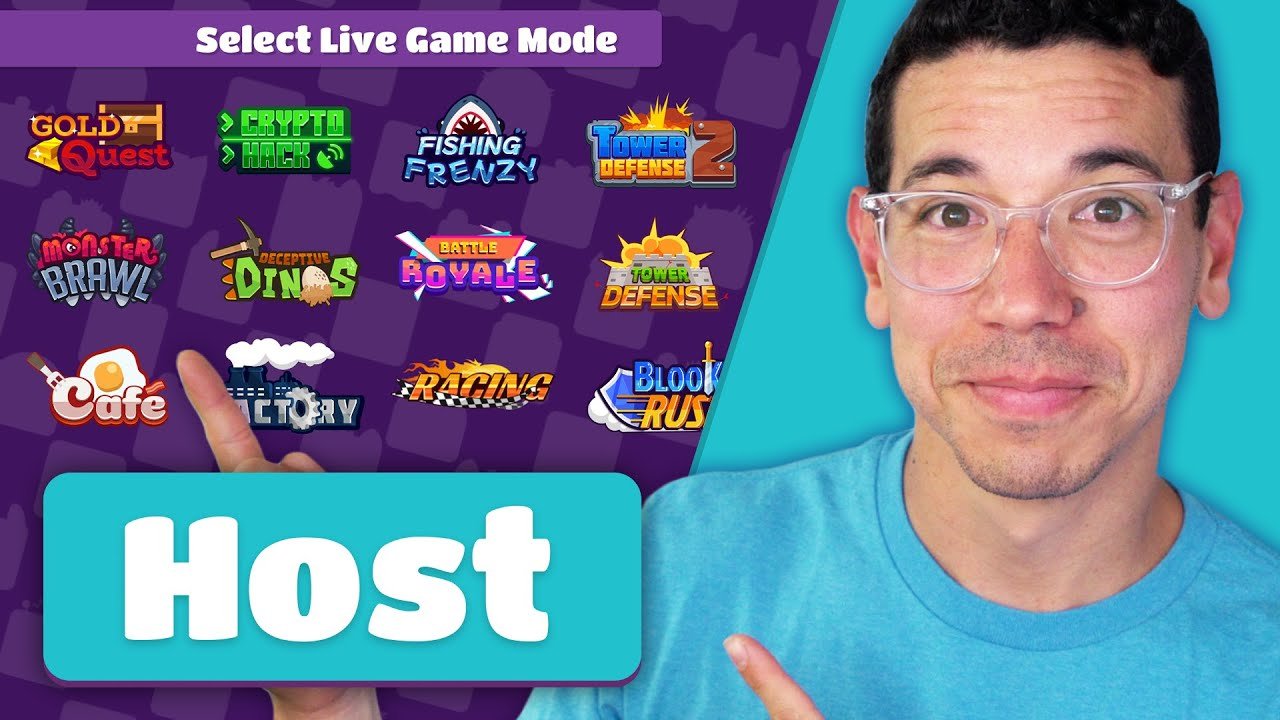
Choose from fun modes like Gold Quest, Tower Defense, Crypto Hack, or Classic. Each mode offers a unique style of play. - Adjust Settings
You can set time limits, points per question, and whether to allow late joiners. - Share the Game Code
A unique game code appears share it with your players so they can join from their devices. - Start and Host Blooket!
Once everyone has joined, click “Start.” Players will now compete in real time as you monitor scores, leaderboards, and progress. - Review Results
After the game ends, review the player statistics to see who performed best and which questions were most challenging.
Popular Game Modes When You Host Blooket
When you host Blooket, you can choose from several fun and competitive modes. Here are some of the most popular ones:
- Classic Mode: A standard quiz format that’s great for testing knowledge quickly.
- Gold Quest: Players answer questions and open chests with random rewards some gain gold, others lose it.
- Tower Defense: Players build towers by answering questions correctly to stop enemies from advancing.
- Factory Mode: Perfect for strategy lovers players earn money for correct answers to buy upgrades.
- Crypto Hack: A high-tech mode where players try to hack and defend digital tokens.
Each mode adds a different layer of excitement, allowing you to tailor your game to the audience.
Benefits of Hosting Blooket in the Classroom
When teachers host Blooket, the classroom atmosphere changes completely. Students who are usually shy become enthusiastic, and even complex subjects become easier to grasp.
- Better Participation: Every student gets a chance to play and contribute.
- Increased Retention: Gamified quizzes help students remember facts longer.
- Healthy Competition: Leaderboards motivate students to improve their scores.
- Instant Assessment: Teachers can identify learning gaps in real time.
- Positive Classroom Energy: Hosting Blooket promotes laughter, collaboration, and confidence.
Tips for an Effective Blooket Hosting Experience
Hosting a game is simple, but hosting it effectively requires a few tricks:
- Prepare Early: Choose your game mode and test it before the session starts.
- Explain the Rules Clearly: Make sure everyone understands how the game works.
- Mix Easy and Challenging Questions: Keep the balance so everyone stays engaged.
- Use a Timer Wisely: Don’t make questions too short allow enough time to think.
- Reward Participation: Celebrate not just winners but all who engage.
The more energy and enthusiasm you bring as the host, the more successful your Blooket session will be.
Advanced Hosting Options
If you want to take your hosting to the next level, try these advanced features:
- Homework Mode: Assign games to be played asynchronously for homework.
- Team Mode: Split players into groups for collaborative learning.
- Custom Avatars: Let players choose fun “Blooks” to represent them.
- Data Reports: Track student performance and progress over time.
Using these features, hosting Blooket can become part of a regular learning routine not just a one-time event.
Common Mistakes to Avoid When You Host Blooket
Even though hosting is easy, some small mistakes can spoil the experience. Avoid these:
- Starting before everyone joins.
- Choosing overly complex game modes for beginners.
- Ignoring technical readiness (like slow internet).
- Not reviewing results afterward.
- Making the game too long or too short.
Remember: the goal is to keep it fun, fast, and educational.
Why Students Love When You Host Blooket
Students adore Blooket because it’s learning disguised as play. They enjoy competing with classmates, earning points, and unlocking surprises. Every time you host Blooket, it feels like a mini celebration of learning filled with excitement, color, and laughter.
Conclusion
Hosting Blooket is more than running a digital quiz it’s about bringing energy, interactivity, and creativity into education. Whether you’re teaching math, science, history, or any subject, this platform makes lessons memorable and exciting.
By learning how to host Blooket effectively, you can turn any ordinary classroom or training session into a dynamic, game-based learning adventure. The more you host, the better you’ll understand how to customize it for your group making every session unique and enjoyable.
So, sign in, choose your questions, share your game code, and host Blooket today. Let learning be fun again!
More Details : Mastering the Gimkit Host Experience: The Ultimate Guide to Running Engaging Classroom Games
FAQs
1. Do I need to pay to host Blooket?
No, you can host games for free. However, premium accounts offer extra features and reports.
2. How many players can join when I host Blooket?
Usually, up to 60 players can join a free session — perfect for most classrooms.
3. Can I host Blooket online with remote students?
Absolutely! Just share your game code or link, and students can join from anywhere.
4. Can I create my own question sets?
Yes, Blooket lets you create custom sets, making it ideal for personalized learning.
5. What devices work best for playing Blooket?
Any device with a browser computer, tablet, or smartphone works perfectly.